Your College Journey Starts Now. Start Here, Go Far.

At Pierpont, we’re excited to offer high school students like you the opportunity to earn college credit, often at a low or no-cost tuition.
As the community college dedicated to serving North Central West Virginia, we support public, private, home, micro, and virtual schools across our 13-county region, plus students nationwide. We believe in making higher education accessible. That’s why we offer courses for just $25 per credit hour for in-state dual enrollment students, $48 per credit hour for dual enrollment students from Greene, Fayette, and Garrett counties in PA, and $60 per credit hour for any other out-of-state dual enrollment student.
We’re thrilled you’re exploring this fantastic opportunity to save both time and money, and we can’t wait to help you get a head start on your future!

Discover "One Walk Two Degrees" and State-Funded Pathways
One Walk Two Degrees
Our “One Walk Two Degrees” program is designed to empower students to earn a liberal arts associate degree, setting a strong foundation for your future. Each pathway thoughtfully organizes elective courses to align with in-demand career fields, often leading to an Associate of Applied Science (AAS) degree that you can complete within just one year after earning your AA.
For our West Virginia residents, here’s some wonderful news: the state will cover the tuition for any course you take within a pathway that earns you dual credit (both college and high school credit for the same course)! This applies as long as there’s a formal agreement in place between Pierpont C&TC and your public school district, private school, or even your homeschool family. The best part? You don’t have to complete an entire pathway to qualify for this state funding – every step you take counts!
State-Funded Crosswalk
Similar to our state-funded pathways, the crosswalks are designed to help you earn valuable credits towards a Career Technical Education (CTE) program, even if you’re not pursuing an entire AA degree. Just like with the pathways, any course within a crosswalk that earns you dual credit will qualify for state-funded tuition for WV dual enrollment students. We’re here to help you build the skills you need for a successful career!
Explore our Pathway and Crosswalk Sample Schedules
Following this schedule will complete an AA degree in Liberal Studies. With an additional 27 credits, an AAS in ASL Interpreter Education can be earned.
Following this schedule will complete an AA degree in Liberal Studies. With an additional 24 credits, an AAS in Business Management can be earned.
Following this schedule will complete an AA degree in Liberal Studies. With an additional 37 credits, an AAS in Early Childhood Education can be earned.
Following this schedule will complete an AA degree in Liberal Studies. With an additional 14 credits, an AAS in Health Sciences can be earned.
Following this schedule will complete an AA degree in Liberal Studies. With an additional 27 credits, an AAS in Paralegal Studies can be earned.
Following this schedule will complete an AA degree in Liberal Studies with a Concentration in Pre-Social Work.
Following this schedule will earn students 23 credits toward an AAS degree in Applied Process Technology: Instrument and Controls Concentration or Energy Systems Operations Concentration.
Following this schedule will earn 42 credits toward an AAS degree in Aviation Maintenance Technology. The AAS degree can be completed with an additional 26 credits.
Costs
Pierpont’s dual credit programs offer students an affordable option to get a jump start on furthering their education.
$25
$48
$60
Per credit hour for in-state dual enrollment students
Per credit hour for dual enrollment students from Greene, Fayette, and Garrett counties in PA
per credit hour for any other out-of-state dual enrollment student
For Additional information, view Pierpont’s Tuition and Fees.
HOPE Scholarship
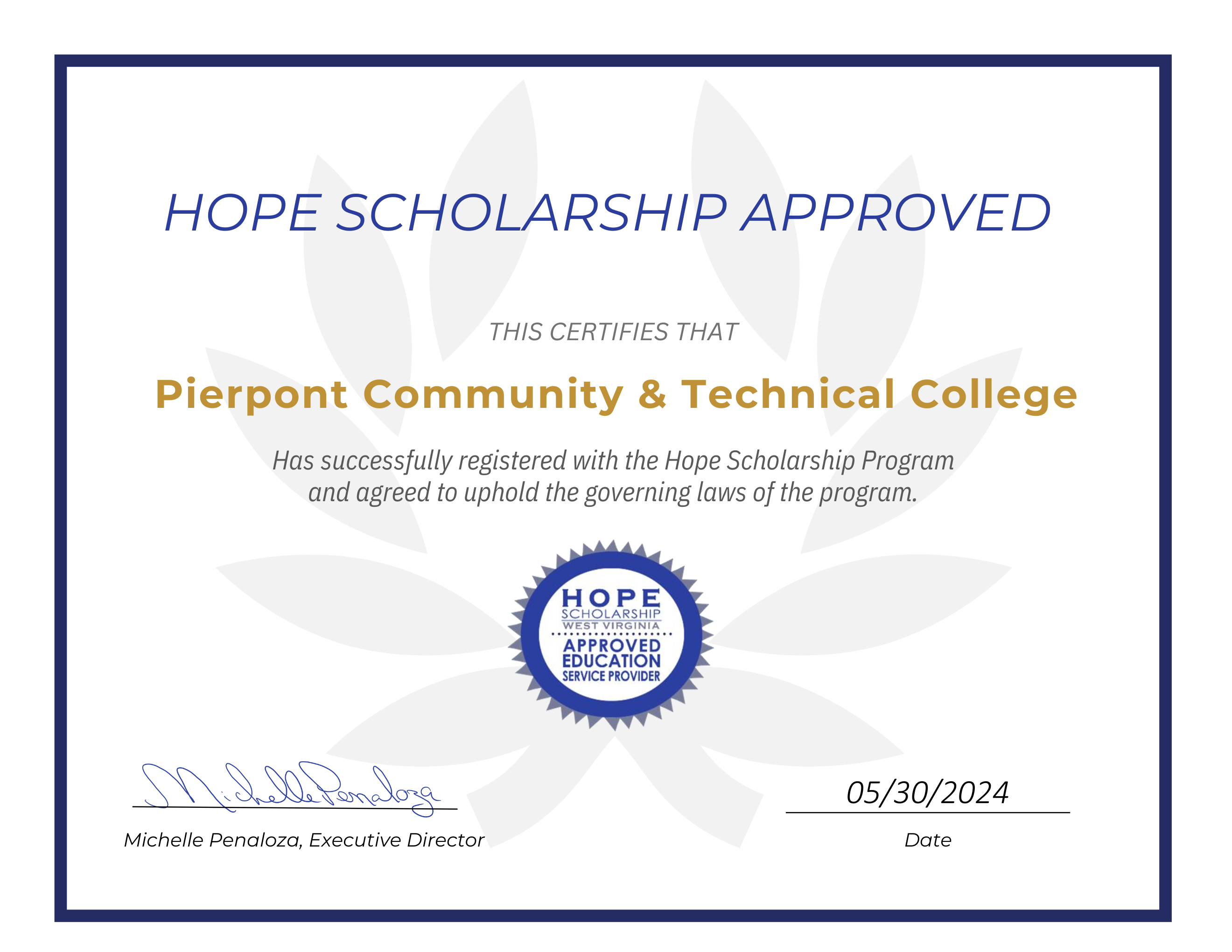
Pierpont Community & Technical College is a registered HOPE Scholarship service provider.

Admission
High school students are guaranteed admission to the dual enrollment program. Pierpont does not restrict participation based on GPA requirements, high school grade level, or in-state residency.
Dual enrollment students are held to the same standards as any other Pierpont student and are expected to be familiar with the Pierpont student handbook and course catalog.
To participate:
- Discuss dual credit options with your high school counselor and create a plan.
- Apply to Pierpont. You’ll select your education goal as “I am currently in High School” (Dual Enrollment) and the program choice is the pathway you are selecting.
- Complete a registration form before the start of the term and submit to dualenrollment@pieront.edu
Applicants: consider completing a FERPA consent form. This form grants your parents/guardians permission to access your student account and records. For more information about FERPA, view the Parent Guide.
Apply Now Registration Form FERPA FormPreferred registration deadline for the fall term is August 15th. After this date, there is no guarantee that there will be room in the courses you choose.
Preferred registration deadline for spring term is December 15th. After this date, there is no guarantee that there will be room in the courses you choose.
Frequently Asked Questions
Keep a close watch on the email account you used for your application. You will receive important emails from Pierpont containing your login information and instructions. Please review these carefully.
Next, set up your Microsoft 365 account at myaccount.microsoft.com. Be prepared to set up multi-factor authentication (MFA) for enhanced security.
You’ll use the Dual Credit Pathways Registration Form to register for classes. Work with your high school counselor to determine the appropriate dual credit courses for you. Complete the registration form and submit it to dualenrollment@pierpont.edu. Remember to obtain the necessary signatures.
*A school signature is not required for college credit-only courses.
To confirm your registration, check your student schedule: Log in to your Pierpont student portal, Select “ROAR Self Service” -> “Student” -> “Registration” -> “Concise Student Schedule.” You won’t see your courses in BlackBoard until the semester begins.
Visit the online bookstore or check with your high school counselor to see if your school district provides them. You’ll need to access your schedule to order books. Use the “Bookstore” link under “Current Students” in the navigation on pierpont.edu. Click “Textbooks” on the left and enter your semester and course ID and section to find out the books you need. Students are responsible for acquiring their textbooks.
Your online courses are located within Blackboard, which can be accessed through the student portal. For Blackboard tutorials, visit the “Resources” tab on the Pierpont website and click on the “Blackboard.”
Make sure you are logged out of all apps and are using your Pierpont login and password with MFA set up. If you need to reset your password, you can find instructions under “Resources” and “IT Help” on pierpont.edu.
If you receive a message to contact an administrator or encounter an issue not addressed in the instructions, please email help@pierpont.edu. Include your name, date of birth, and the last four digits of your Social Security number. Clearly describe the issue and when it occurred. If possible, provide a screenshot. Follow the instructions from IT carefully to resolve the problem.
To drop a class, you must submit a Dual Enrollment Registration Form. Indicate the course(s) you wish to drop by checking the “drop” box. Obtain the necessary signatures and send the form to dualenrollment@pierpont.edu.
Informing your teacher does not complete your withdrawal. Stopping participation does not complete your withdrawal.
The preferred method of payment is through the student portal.
Log in to your portal and choose “ROAR Self Service” -> “Student” -> “Student Account” -> “Account Detail for Term” -> (choose the appropriate term) -> “Pay Now” at the bottom of the screen.
Please be aware that some courses, such as aviation, may have separate fees.
The Academic Calendar is a crucial resource that outlines important dates and deadlines throughout the semester. It includes add/drop and withdrawal deadlines, so it’s essential to familiarize yourself with it. The Academic Calendar is available on the Pierpont website. Select the appropriate academic year at the bottom of the calendar page.
Tips for Success
- Passwords expire every 90 days. Watch for email reminders to reset your password before you get locked out. Plan ahead, especially if you have assignments due over the weekend!
- Instead of simply closing your browser window, choose to log out of your portal after each session. This helps clear the cache and can prevent issues.
- Once you have access to your courses in Blackboard (the beginning of the semester), your first step should be to read your course syllabus carefully. Download it for easy access. The syllabus contains vital information about your instructor, course outcomes, expectations, assignments, due dates, and policies.
- Check your Pierpont student email daily. This is the primary way the college communicates with students. This is the official form of communication we have with students. Downloading the Outlook app on your phone is helpful to stay informed.
- Be sure to log out of other Microsoft accounts before logging into your student account to avoid technical issues.
Helpful Links
IT Help Desk: help@pierpont.edu
General Student Services: studentservices@pierpont.edu
Financial Aid Office: financialaid@pierpont.edu
Admissions Office: admit@pierpont.edu
Registrar’s Office: registrar@pierpont.edu
Student Account/Billing: studentaccounts@pierpont.edu